Client Details
Personal, contact, plan management and assessor details for this assessment. Required fields are marked with an asterisk.
NDIS Participant Details
Nominee / Guardian (if applicable)
NDIS Support Coordinator (if applicable)
Assessor Details
Plan Management Details
Select all that apply:
Upload previous AT or allied health reports for this participant. Clinical history, prior AT use, functional trajectory, and prior recommendations will be extracted to inform the current report without overriding your intake data.
Assessment Needs
Background, presenting needs and the functional context that informs your AT recommendations. Rough shorthand is fine — full prose is generated for the report.
Background — General
Diagnosis, prognosis, co-existing conditions, living arrangements. Rough shorthand is fine — AI will expand.
Participant Goals
Goals related to the AT being assessed.
Functional Assessment
Describe functional limitations relevant to the AT. Leave blank if not applicable.
Current AT Use
AT currently used related to this request. Type, model, age, repair history, suitability.
AT Recommendations
Up to six items. For each, capture the product details, indicative cost and your clinical justification.
Recommended AT Items
Up to 6 items.
Mainstream Market Items
Does the solution include mainstream market products (phones, tablets, computers)?
AT Trial
Was a trial of the AT conducted?
AT Features (optional — AI generates if blank)
Specific features requiring clinical justification. Leave blank to let AI determine appropriate features.
Prior AT Experience
Alternatives Considered
Up to 3 alternatives. Reasons are AI-generated — leave blank to auto-generate, or enter brief context below (AI writes formal prose from your notes).
Evidence & Clinical Reasoning
Long term benefit is included in this section.
Notes can be brief or shorthand — AI will expand into formal clinical prose.
Risk Assessment
AI generates mitigation strategies. Lower risk options and risks if AT not provided are auto-generated.
Enter risk descriptions — AI will generate mitigation strategies for each.
Behaviours of Concern
Are there behaviours of concern relevant to AT safety?
AT Implementation
Set-up, training, trial details and ongoing review for the recommended assistive technology.
AT Implementation
Repairs & Maintenance
AT Provision
Participant Agreement
Generate Report
Review your inputs and generate the final AT assessment report.
These details appear on the cover page of every report. They are linked to your account and cannot be changed here.
Upload your company logo to appear on the cover page and document header. PNG or JPG, maximum 2 MB. Displayed at up to 200px wide, maintaining aspect ratio.
Choose a colour scheme applied to all headings, tables, and accents in the generated document.
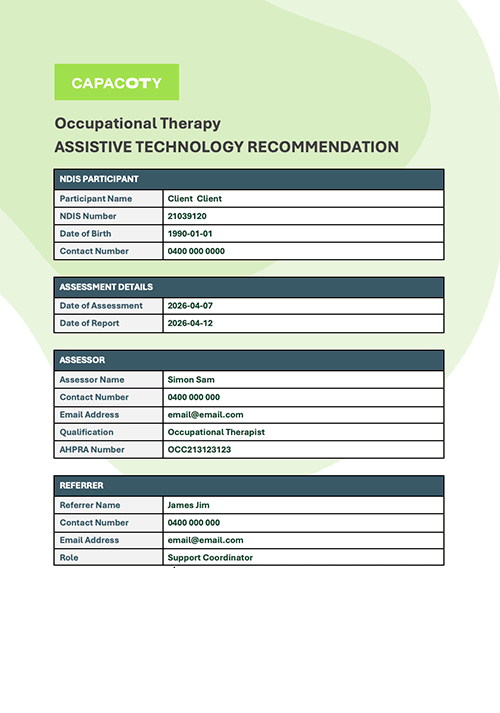
Participant Details
Identification, contact and plan management for this customised report.
Participant Details
Assessment Details
Referrer Details
Diagnosis & Background
Disability, prognosis, social context and prior history that frames the recommendation.
Diagnosis & Background
Upload previous AT or allied health reports for this participant. Clinical history, prior AT use, functional trajectory, and prior recommendations will be extracted to inform the current report without overriding your intake data.
NDIS Plan Goals
Enter the participant's relevant NDIS plan goals (up to 7).
Functional Assessment
Document your functional findings. These are used to generate the functional impact and clinical reasoning for each AT item.
Functional Assessment
Document your functional assessment findings. These are used to generate the functional impact and clinical reasoning for each AT item. Leave blank if not applicable.
AT Items
Add up to five items. The functional impact and clinical reasoning for each is generated from your assessment notes.
AT Items Being Recommended
Add up to 5 items. The functional impact and clinical reasoning for each is generated from your assessment notes.
AT Trial
Was a trial of the recommended AT conducted?
Options Considered
Add up to 3 alternatives considered. Clinical reasons each option is less suitable than the recommended AT are generated for the report.
Standardised Assessments
Select the tools you administered. Unselected tools are removed from the report.
Formalised Assessment Tools
Select the tools you administered. Unselected tools will be removed from the report.
WHODAS 2.0
LEFS — Item Scores
Score each item: 0 = extreme difficulty, 4 = no difficulty. Total auto-calculates.
| Activity | Score (0–4) |
|---|---|
| 1. Usual work, housework or school activities | |
| 2. Usual hobbies, recreational or sporting activities | |
| 3. Getting into or out of the bath | |
| 4. Walking between rooms | |
| 5. Putting on your shoes or socks | |
| 6. Squatting | |
| 7. Lifting an object, like a bag of groceries | |
| 8. Performing light activities around your home | |
| 9. Performing heavy activities around your home | |
| 10. Getting into or out of a car | |
| 11. Walking 2 blocks | |
| 12. Walking a mile | |
| 13. Going up or down 10 stairs | |
| 14. Standing for 1 hour | |
| 15. Sitting for 1 hour | |
| 16. Running on even ground | |
| 17. Running on uneven ground | |
| 18. Making sharp turns while running fast | |
| 19. Hopping | |
| 20. Rolling over in bed | |
| Total score | 0 / 80 |
FIM — Motor & Cognitive Items
Score each item 1–7 (1 = total assistance, 7 = complete independence).
| Motor Items | Score (1–7) |
|---|---|
| Self-Care | |
| Eating | |
| Grooming | |
| Bathing | |
| Dressing — Upper | |
| Dressing — Lower | |
| Toileting | |
| Sphincter Control | |
| Bladder Management | |
| Bowel Management | |
| Transfers | |
| Bed, Chair, Wheelchair | |
| Toilet | |
| Bath or Shower | |
| Locomotion | |
| Walk / Wheelchair | |
| Stairs | |
| Motor Total | — / 91 |
| Cognitive Items | Score (1–7) |
|---|---|
| Communication | |
| Comprehension | |
| Expression | |
| Social Cognition | |
| Social Interaction | |
| Problem Solving | |
| Memory | |
| Cognitive Total | — / 35 |
| FIM Total | — / 126 |
Modified Fatigue Impact Scale (MFIS)
0 = Never · 1 = Rarely · 2 = Sometimes · 3 = Often · 4 = Almost Always
Generate Report
Review your inputs and generate the customised AT assessment report.